 Stians Tech Tips
AutoHotkey
windows·scripting·automation·shortcut·autohotkey
AutoHotkey is a scripting language that let’s you create custom shortcuts (hotkeys), macros and text expansion snippets (hotstrings). I use it quite extensively.
You can install Autohotkey using winget with:
winget install Lexikos.AutoHotkeyTo define the hotkey Win+n (hold the Windows key and press ‘n’) to run Notepad you would run a script with:
#n:: NotepadThe # sign represents the Windows key. ^ is Ctrl and ! is Alt, so to define Ctrl+Alt+n as the hotkey instead, you would write:
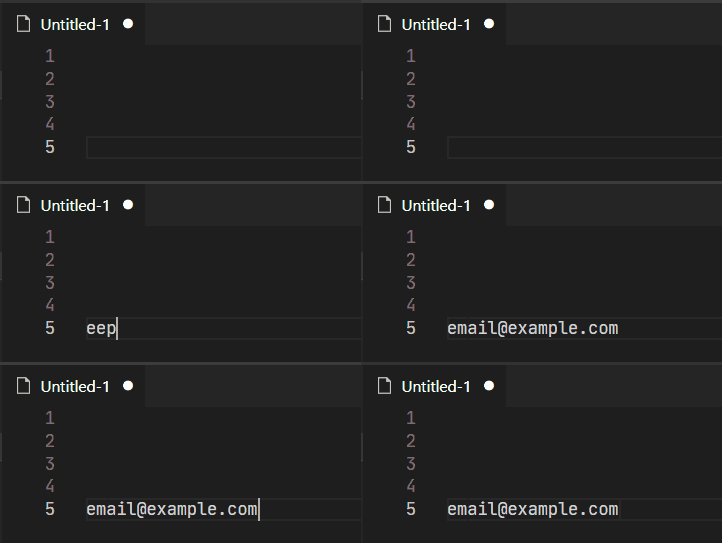
^!n:: NotepadTo define a hotstring for an email address you would write:
:*:eepp::email@example.comNow, anywhere you typed eepp in any application, the text would be replaced with email@example.com
The AutoHotkey website has an introduction tutorial here